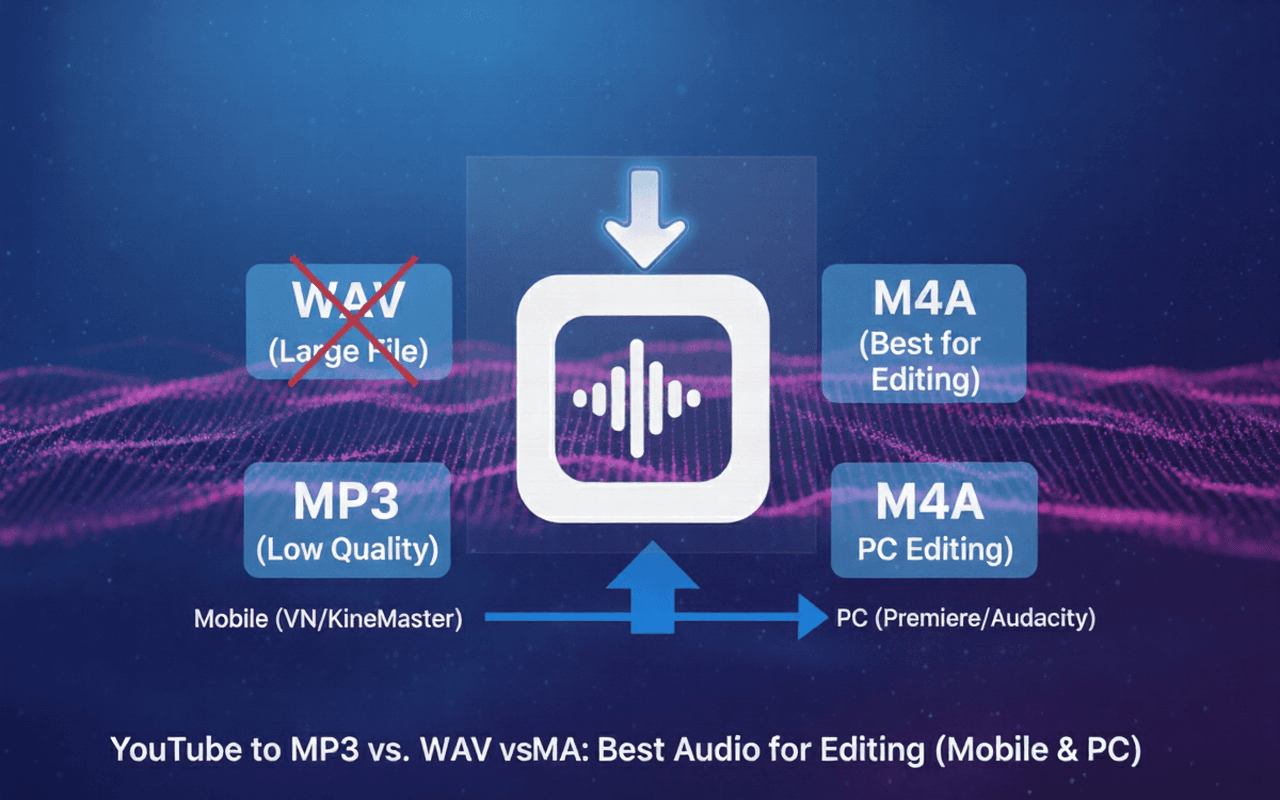
Editing on VN or KineMaster? Stop wasting storage with WAV or losing quality with MP3. Learn why M4A is the best audio format for mobile creators in 2026.
YouTube to MP3 vs. WAV vs. M4A: Best Audio for Editing (Mobile & PC)
Summary: Are you editing Reels on VN or KineMaster? Stop filling up your phone with massive WAV files or low-quality MP3s. Discover why M4A is the secret weapon for crisp audio that saves your mobile data.
What You’ll Learn
- The "Storage Trap": Why downloading WAVs ruins your phone's storage.
- Format Showdown: MP3 vs. WAV vs. M4A (Which one works best with InShot/VN?).
- Data Saver: How to get high-quality audio without wasting 50MB of data.
- Compatibility: A guide for Android and iOS editors.
1. The Mobile Creator's Dilemma
If you are creating WhatsApp Status videos or Instagram Reels on your phone, you have two big problems:
- Storage Space: Most phones (128GB/256GB) fill up fast. A 3-minute song in WAV format can be 50MB. If you download 20 songs, that's 1GB gone.
- Audio Quality: If you use MP3, the audio often sounds "swirly" or distorted after you export your video from KineMaster.
The Solution? You need a format that is small (like MP3) but high quality (like WAV). That format is M4A (AAC).
2. The Contenders: Which Format Should You Download?
Let's compare the three options you see on most downloaders.
1. MP3 (The Old Standard)
- Best For: Ringtone Makers, older Car Stereos.
- The Problem: It is old technology. It cuts off the clear "high notes" (treble). When you edit it inside VN Editor and export it again, the quality drops even further (Generation Loss).
- Verdict: Good for WhatsApp sharing, bad for editing.
2. WAV (The Data Hog)
- Best For: Professional PC editing (Premiere Pro) or Archiving.
- The Problem: It is Uncompressed. Downloading a single WAV file uses as much mobile data as downloading 10 videos. It is overkill for Instagram/YouTube Shorts.
- Verdict: Avoid on mobile. It wastes your data pack.
3. M4A / AAC (The Mobile King)
- Best For: VN, InShot, CapCut, KineMaster.
- The Magic: This is the native audio format of YouTube. As we explained in our High Quality Audio Guide, downloading M4A gives you the exact studio quality from YouTube servers without re-compressing it.
- Verdict: The Winner. Half the size of MP3, double the quality.
3. Compatibility Guide: Will it Work on My App?
We tested these formats on the most popular editing apps in India.
| App Name | MP3 | WAV | M4A (AAC) |
|---|---|---|---|
| VN Editor | ✅ Yes | ✅ Yes | ✅ Best Performance |
| InShot | ✅ Yes | ✅ Yes | ✅ Best Performance |
| KineMaster | ✅ Yes | ⚠️ Laggy (Huge file) | ✅ Best Performance |
| Alight Motion | ✅ Yes | ⚠️ Laggy | ✅ Recommended |
| CapCut | ✅ Yes | ✅ Yes | ✅ Native Format |
💡
Pro Tip for Low Data Users: Downloading a song in M4A uses about 3MB to 5MB of data. Downloading the same song in WAV uses 30MB to 50MB. Save your daily data limit—choose M4A.
4. Step-by-Step: The Perfect Mobile Workflow
Here is how to get the cleanest audio for your next Reel or Status video.
1
Copy the YouTube Link
Go to the YouTube video (Song, BGM, or Dialogue) and tap "Share" > "Copy Link".
2
Paste into TrimTube
Open TrimTube.io in Chrome or Safari. Paste the link.
3
Select 'M4A' (AAC)
In the download options, choose M4A.
- Why? This ensures you get the crystal clear audio without any "hissing" noise.
4
Import to Your Editor
Open VN or InShot. Tap "Music" > "Import" > "File Manager". Select the M4A file you just downloaded.
If you are also looking to clip video segments for your edit, check out our guide on Turning YouTube Videos into Shorts.
5. FAQ (Mobile Specific)
Directly? No. WhatsApp Status only accepts Video formats (MP4) or images. However, if you are editing a status video in an app like VN, you should import the M4A audio into VN, make your video, and then export as MP4 for WhatsApp. This gives you the best sound.
6. Final Thoughts
You don't need a $2,000 PC to make viral content. You just need the right workflow.
Stop wasting your data pack on massive WAV files or settling for low-quality MP3s. Switch to M4A for your next edit on VN or InShot, and hear the difference.
Save data. Edit better. Download M4A audio instantly. Try TrimTube for Free
Dec 10, 2025
7 min read
Start trimming YouTube videos
Upload your YouTube link and trim clips with frame-accurate precision. Create clean highlights, cut exact moments, and download watermark-free clips — all in your browser.
Start trimming for freeFastest Youtube Clips Downloader
Trim YouTube videos
faster than any online editor.
Paste a YouTube link, pick the exact moment you need, and download a clean, watermark-free clip — no login, no installs, no friction.
© 2026 TrimTube.io. All rights reserved.